Pequod

Free emulator launcher for Windows

The emulator launcher that drops you right in.

Point Pequod at your games. It sets up the emulators, finds your controller and gets out of the way. No settings to learn.

Version 0.12.2 · Windows 10 and 11 · Free, no account · Mac coming later

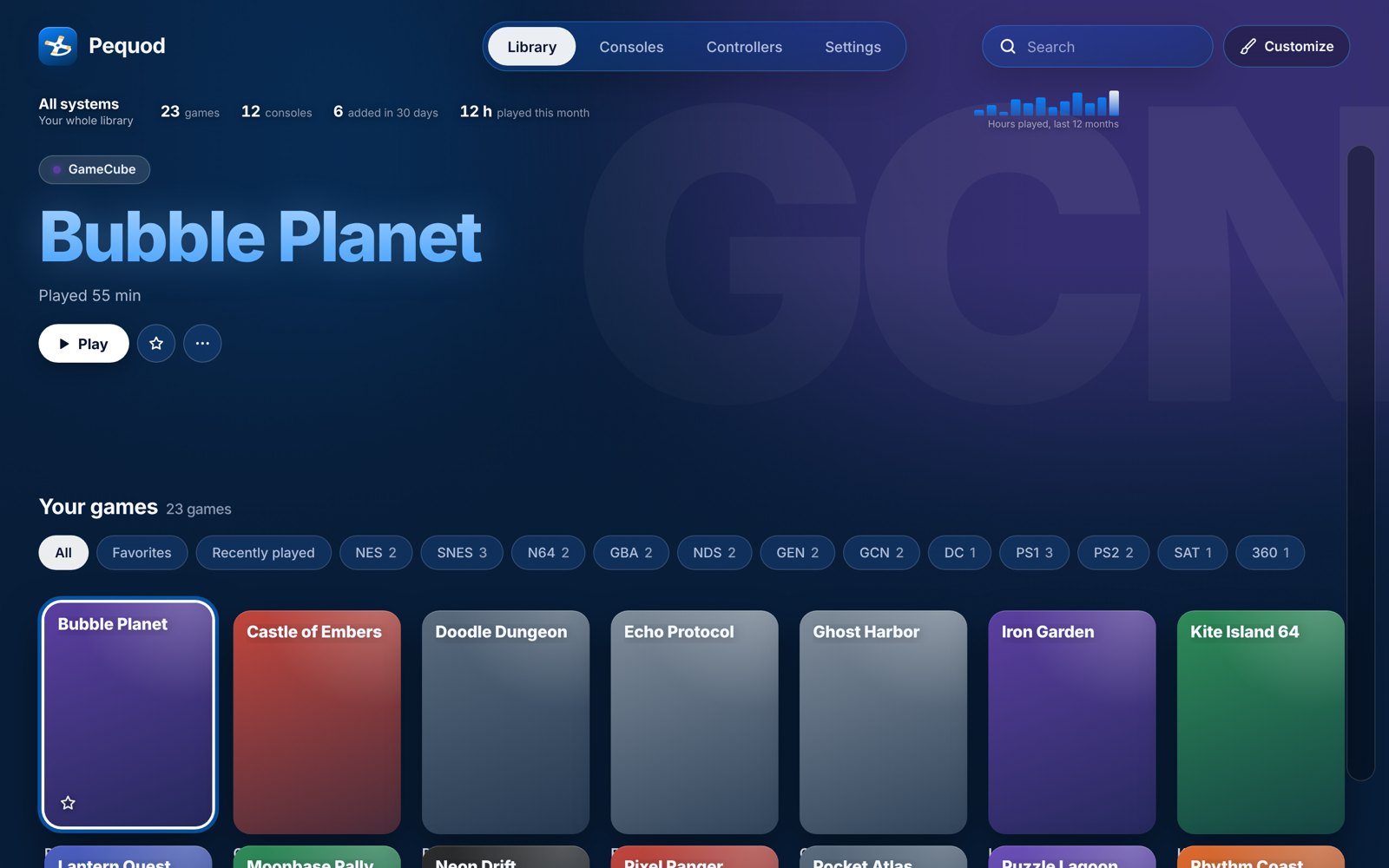
Pequod's library screen: game tiles grouped by console, with a big Play button for the selected game.

Made so anyone can press Play

If you can open a folder, you can use Pequod.

Sets itself up

Pequod downloads each emulator from its official site and configures it. Nothing to install by hand.

Your controller just works

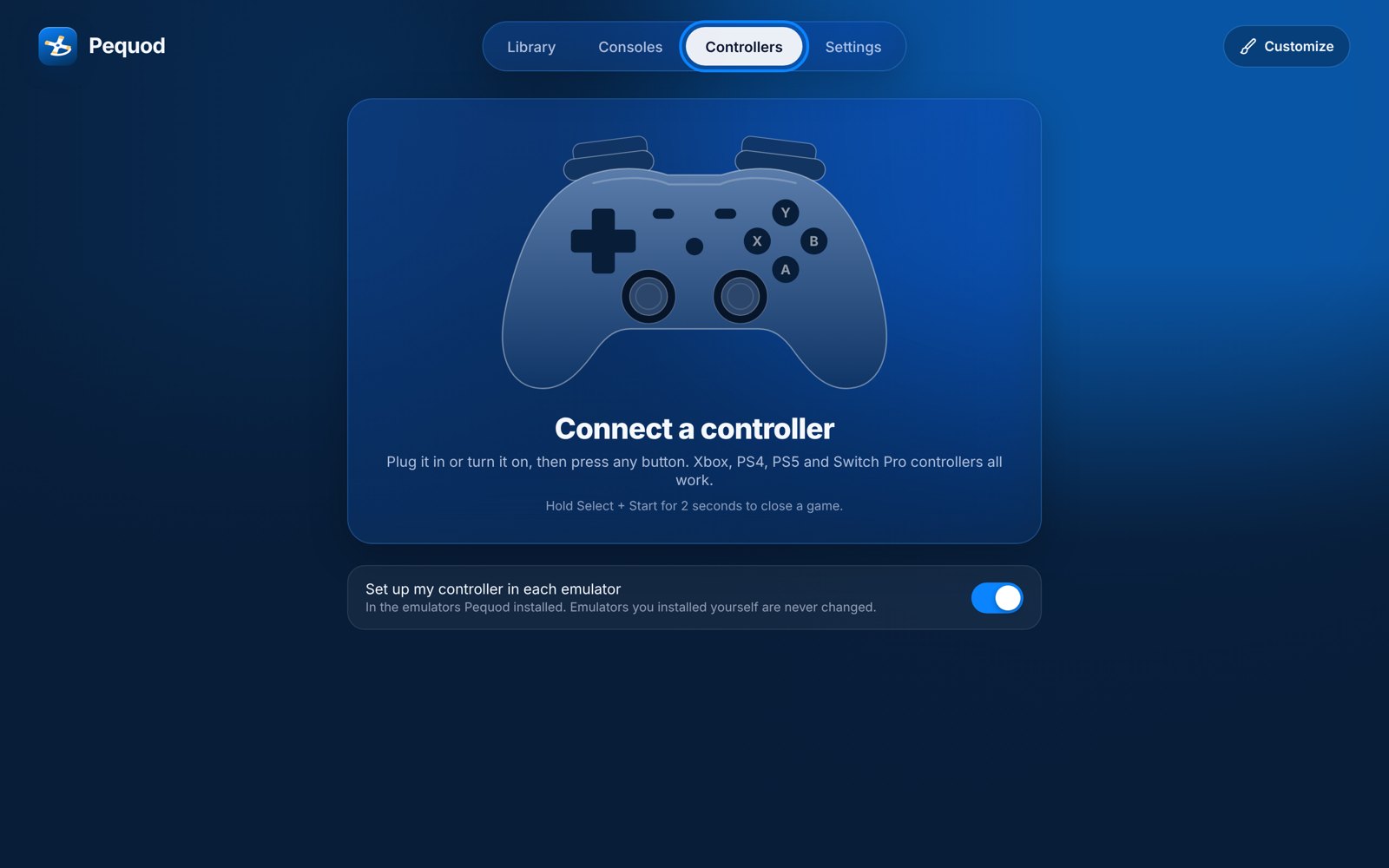
PlayStation 4 and 5, Xbox 360 and newer, Switch Pro. Hold Select + Start to close a game and land back in Pequod.

Sorts your library

Finds games in every folder, works out the console, adds cover art and tracks play time. Your files are never moved or renamed.

Zipped games too

Disc games in a .zip or .7z are unpacked for you when you press Play. Your zip stays as it is.

Every console in one place

Each console shows whether it's ready, which emulator it uses and anything it still needs, in plain words.

Some consoles need a file from your own console, like a PS2 or Saturn BIOS. Pequod tells you exactly where to put it.
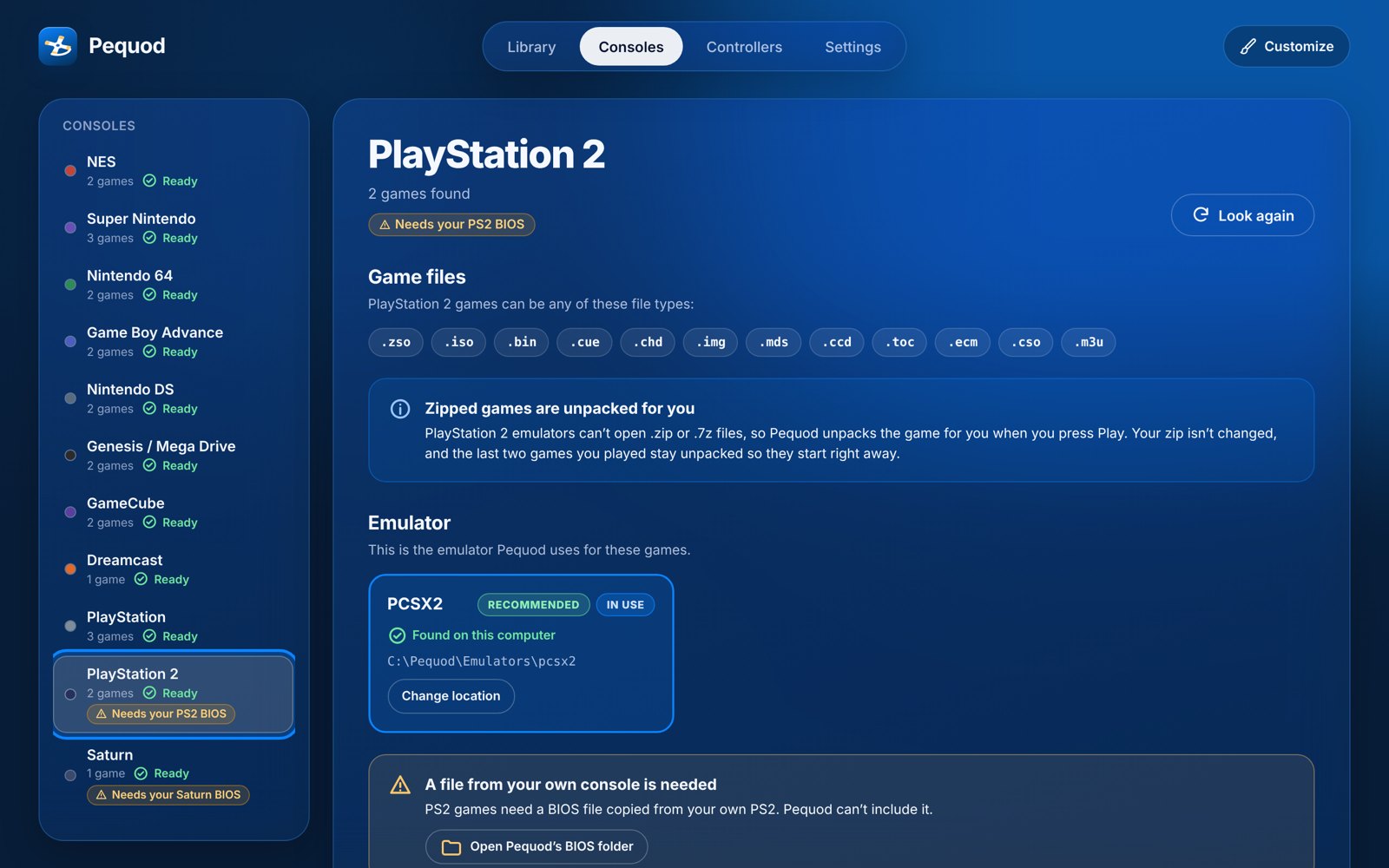
The Consoles screen with the PlayStation 2 page open, showing it's ready and needs your PS2 BIOS.

Grab a controller. That's the setup.

Pequod sets up your controller in every emulator it installs. The bottom button is always OK, whichever controller you use.

The Controllers screen: connect a controller and press any button.

Ready for 16 consoles out of the box

  • NES
  • Super Nintendo
  • Nintendo 64
  • Game Boy / Color / Advance
  • Nintendo DS
  • GameCube
  • Wii
  • Genesis / Mega Drive
  • Master System
  • Saturn
  • Dreamcast
  • PlayStation
  • PlayStation 2
  • Xbox 360

Plus PSP, PS3, PS4, original Xbox, and Switch and Switch 2 (Beta) with an emulator you install yourself.

What's not included

Pequod comes with no games, and no BIOS, firmware or keys from Nintendo, Sony, Sega or Microsoft. Play games you own, using files from your own consoles.

Free, for real

No ads, no account, no paid tier. If Pequod makes your evenings better, you can buy me a coffee on Ko-fi.

Questions

Windows warns me when I run the installer. Is it safe?

Windows shows "Windows protected your PC" for new apps that aren't signed with a paid certificate. Pequod isn't signed yet. Click More info, then Run anyway. Only download Pequod from this site.

Where do I get games?

Pequod plays the games you already have. It doesn't download or link to games.

Will it mess up my game files?

No. Pequod never moves, renames or changes your games. It only reads them.

Is there a Mac version?

Not yet. Windows comes first; Mac is planned.